Ads analytics pivot
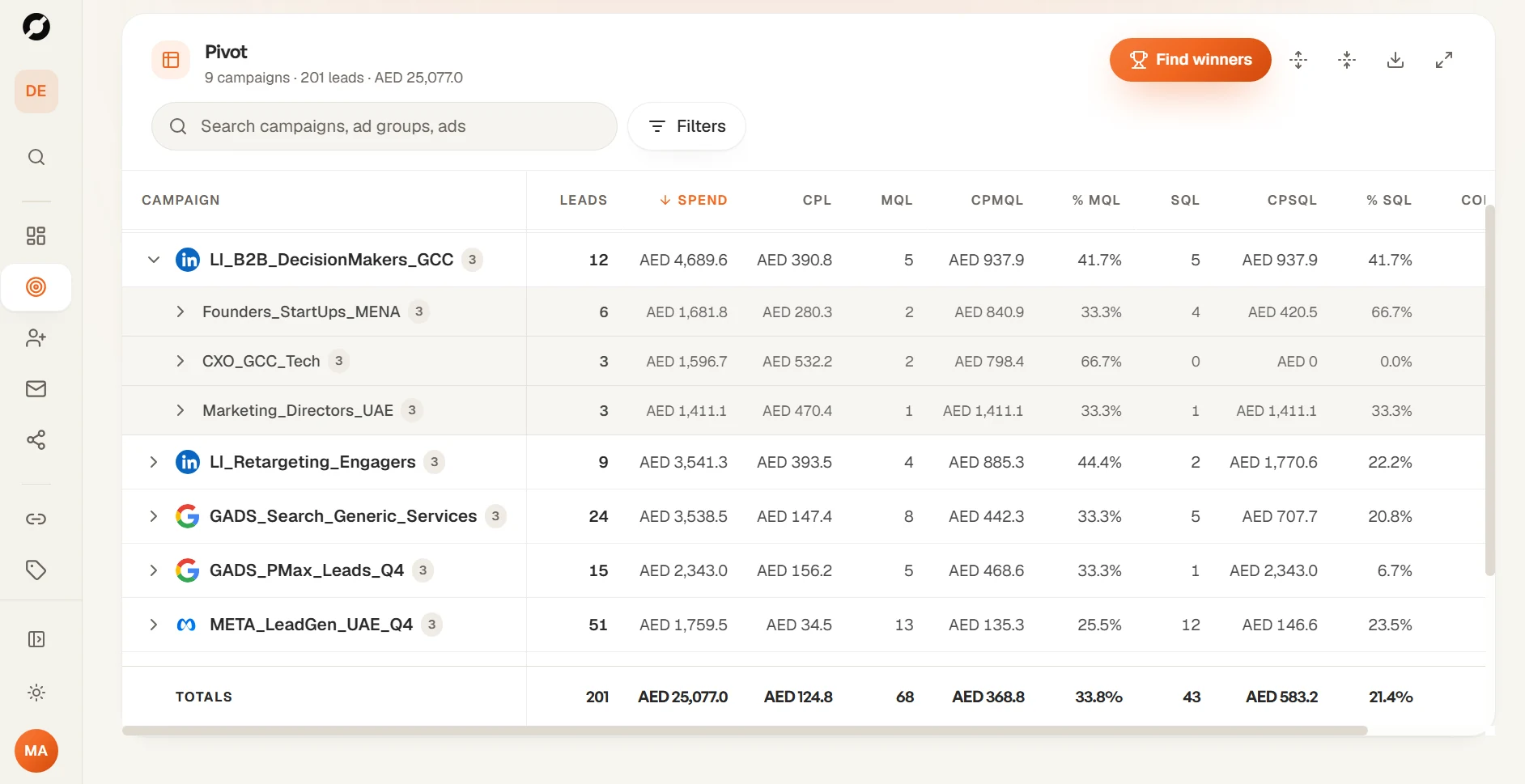
Campaign → ad group → ad, with leads, spend, CPL, MQL, CPMQL, SQL, CPSQL, conversions and CPC.
Product
Zero Metrics reads your ad accounts and your CRM, joins every lead to the ad that brought it in, and shows the real cost of each stage: lead, qualified lead, sales lead and deal. One screen, refreshed every hour.
01 · Pivot table
Open any campaign to see which ad group, and which single ad, carried the result. LinkedIn, Google and Meta sit side by side in the same columns and the same currency.
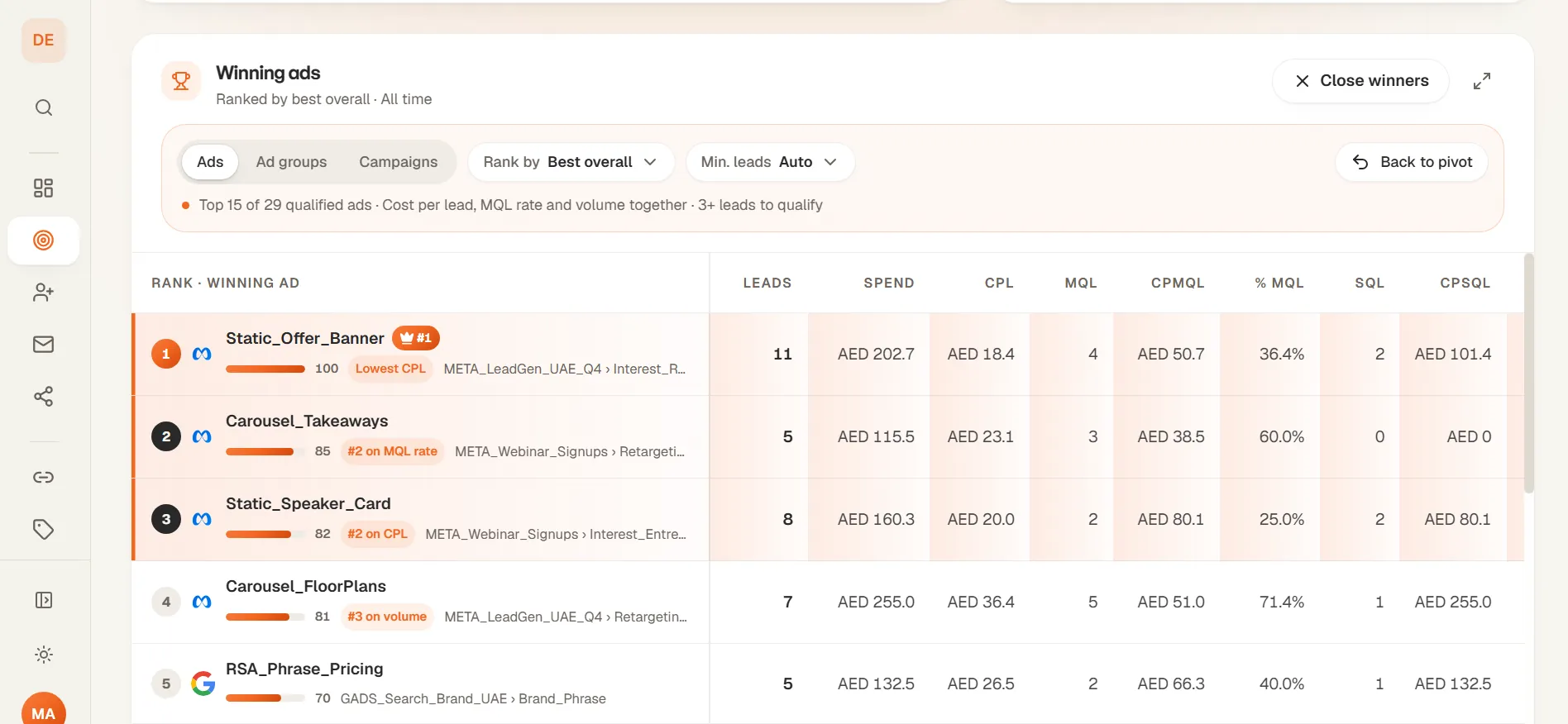
02 · Find winners
Every ad is scored on cost, lead quality and volume, then ranked with the reason why. Set a minimum-leads rule so an ad with two lucky leads can't win.
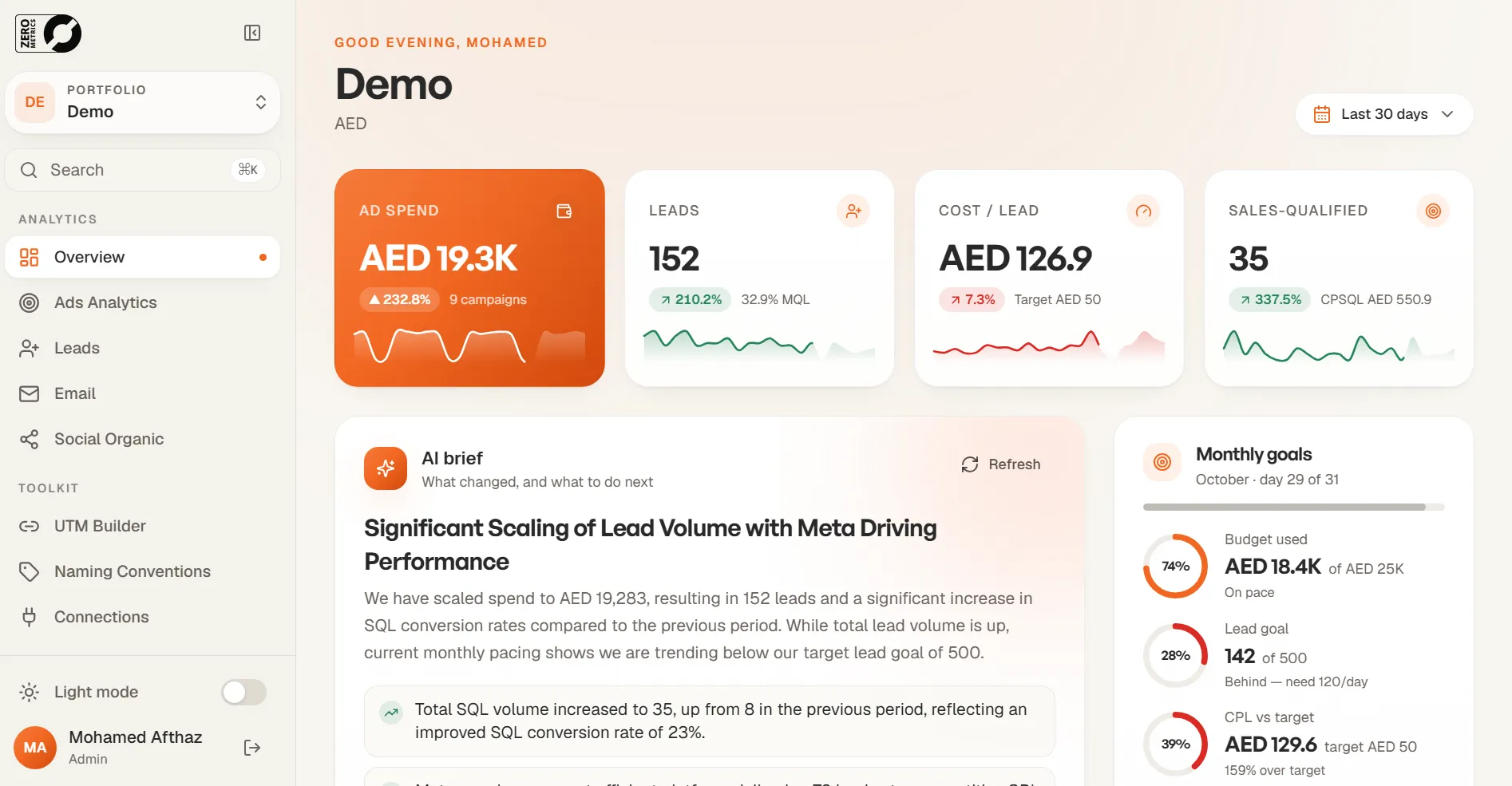
03 · Overview, AI brief and goals
Spend, leads, cost per lead and sales-qualified leads at the top. An AI brief explains what changed and suggests the next three moves. Monthly goals pace your budget, lead target and target CPL.
04 · CRM status mapping and lead quality
Tag each CRM status as MQL or SQL once. From then on, every lead's stage comes from your sales team's own updates, not from the ad platform. A data quality view flags missing phone numbers, duplicates and uncontactable leads by form and campaign.
05 · Naming conventions
Define the parts of a campaign name once, such as vertical, market, project and format. The builder generates correct names for every new campaign, ad group and ad, ready to paste into Meta, Google, LinkedIn or TikTok.
06 · UTM builder
Build, save and reuse UTM links with a live preview. Lowercase, consistent sources and mediums mean your website leads land in the CRM with the right campaign attached.
07 · Email and social
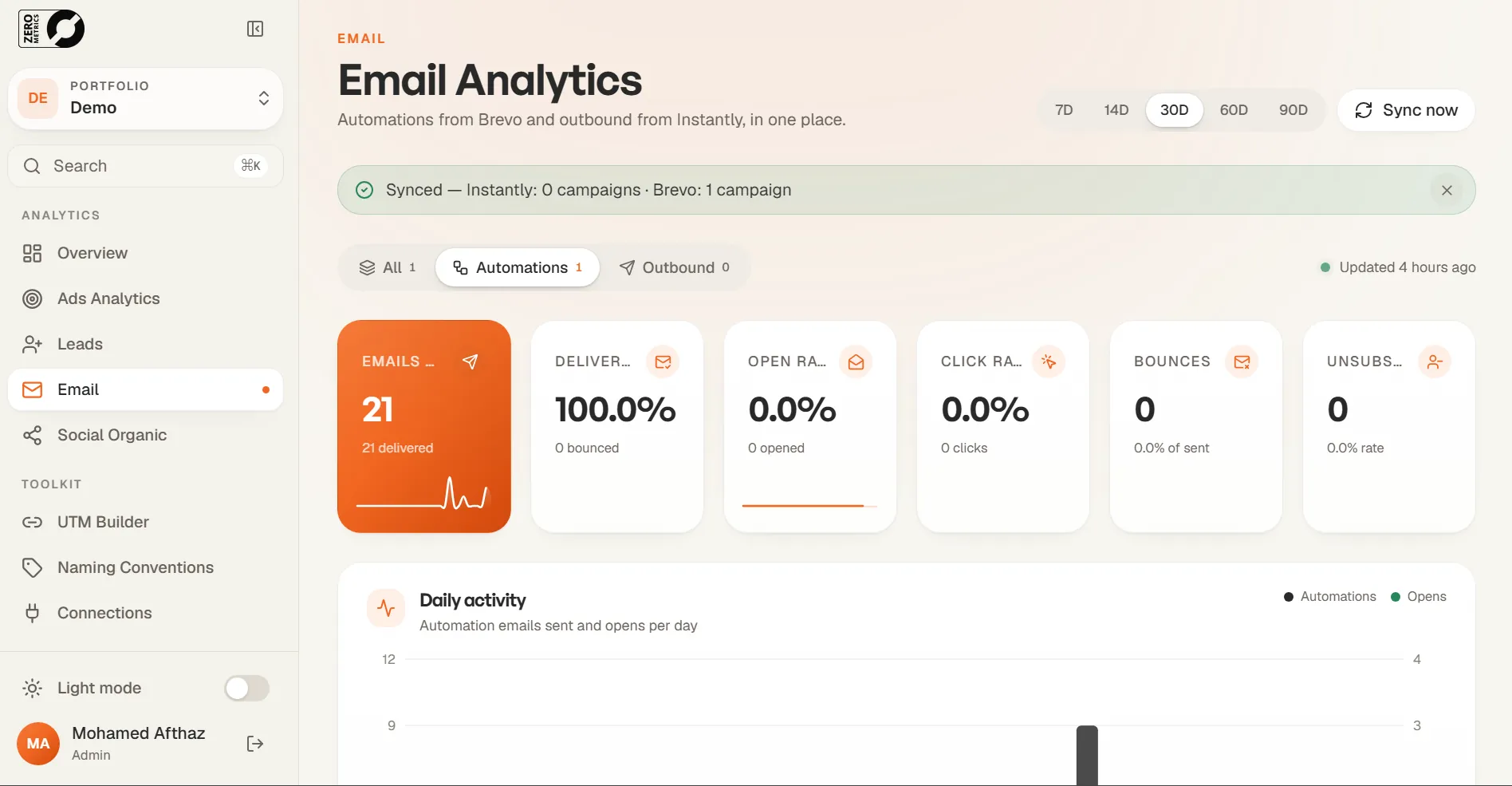
Brevo automations and Instantly outbound show sent, delivered, opened, clicked and bounced. Organic social from Metricool shows followers, reach, impressions and engagement. All in the same app as your ads.
08 · Client portal and summaries
Send a view-only client portal link with goals, spend, leads and top campaigns. Stakeholders and CEOs get a daily email summary every morning. Nobody needs a login.
09 · Workspaces and access
Each client, brand or project is its own portfolio with its own data feeds, currency and lead rules. A super admin sees all of them. Invite teammates and choose exactly which portfolios each person can see.
Everything inside
Eighteen tools across four jobs: see what works, fix your tracking, share results, and run many brands from one place.
Campaign → ad group → ad, with leads, spend, CPL, MQL, CPMQL, SQL, CPSQL, conversions and CPC.
Rank ads by best overall, lowest cost per SQL or best MQL rate, with a minimum-leads rule so luck can't win.
A plain-English summary of what changed this period, and the next three moves.
Contactable leads, missing fields and duplicates, by form, campaign and status.
Brevo automations and Instantly outbound: sent, delivered, opened, clicked and bounced.
Followers, reach, impressions and engagement across channels, via Metricool.
Build campaign names from one rule, then copy them into each ad platform.
Build, save and reuse tracking links. Every change updates the preview.
Tag each CRM status as MQL or SQL once. The pivot re-imports with it.
Monthly budget, lead goal and target CPL, with live pacing for the month.
A view-only link with goals, spend, leads and top campaigns. No login needed.
Stakeholder and CEO summaries land in the inbox every morning.
Lead-gen campaigns, ad accounts and reporting setup for every account.
Each client or brand gets its own data, feeds, currency and lead rules.
Invite people and choose exactly which portfolios each person can see.
Ads and lead sheets refresh every hour, with a manual sync button too.
Designed for iPhone first, with a bottom tab bar and swipe-friendly tables.
Jump to any page or portfolio with ⌘K.
Security
FAQ
Cost per lead (CPL) divides ad spend by every form fill or enquiry. Cost per qualified lead (CPMQL) divides the same spend only by the leads your team marked as qualified in the CRM. A campaign with a low CPL can have a very high cost per qualified lead if most of its leads never pick up.
Leads, spend, CPL, MQL, cost per MQL, % MQL, SQL, cost per SQL, % SQL, conversions and cost per click, for every campaign, ad group and ad, with totals.
Each ad is scored on cost, lead quality and volume. You can rank by best overall, lowest cost per SQL or best MQL rate, and set a minimum number of leads so an ad with two lucky leads cannot top the list.
Yes. Share a view-only client portal link, or send daily email summaries to stakeholders. Nobody needs a login to read them.
Yes. Zero Metrics is designed for iPhone first, with a bottom tab bar and tables you can swipe.
Free data inspection
Most lead data looks fine until you trace it back to the ads. We'll inspect your ad accounts, CRM and tracking for free and show you what's being counted, what's missing, and what to fix first.
Zero guesswork in your ad budget. Bring one live campaign to a 30-minute demo and leave knowing its real cost per qualified lead.